My Ride Is Here
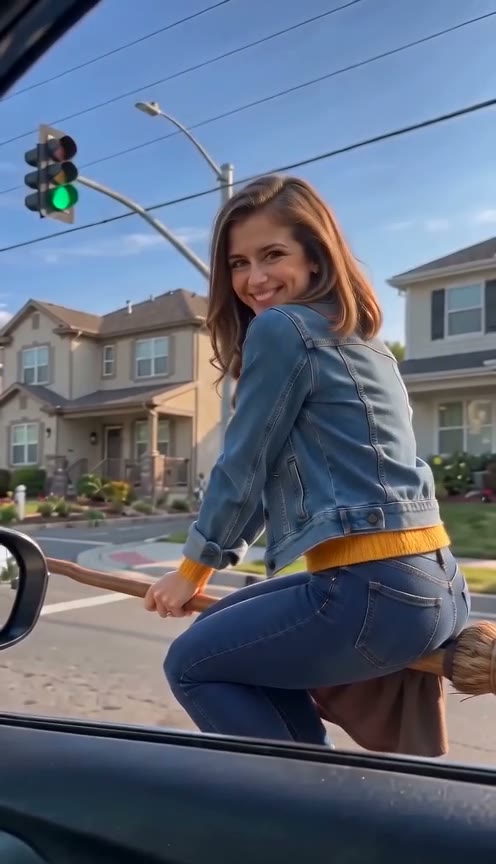
Sunny suburban red light: she hovers by the window, smiles at the camera and flies off on green.
AI video from one photo
Turn your photo into a flying broom AI video. Ride beside a car in your own take on the “My Ride Is Here” scene, or pick a Halloween ride, a pet ride or a broom crash.
 Reviewed AI sampleWatch the examples
Add one photo, pick a scene and tap generate. The broom, the setting and the camera move are ready; you, or your pet, are the rider.
How it works
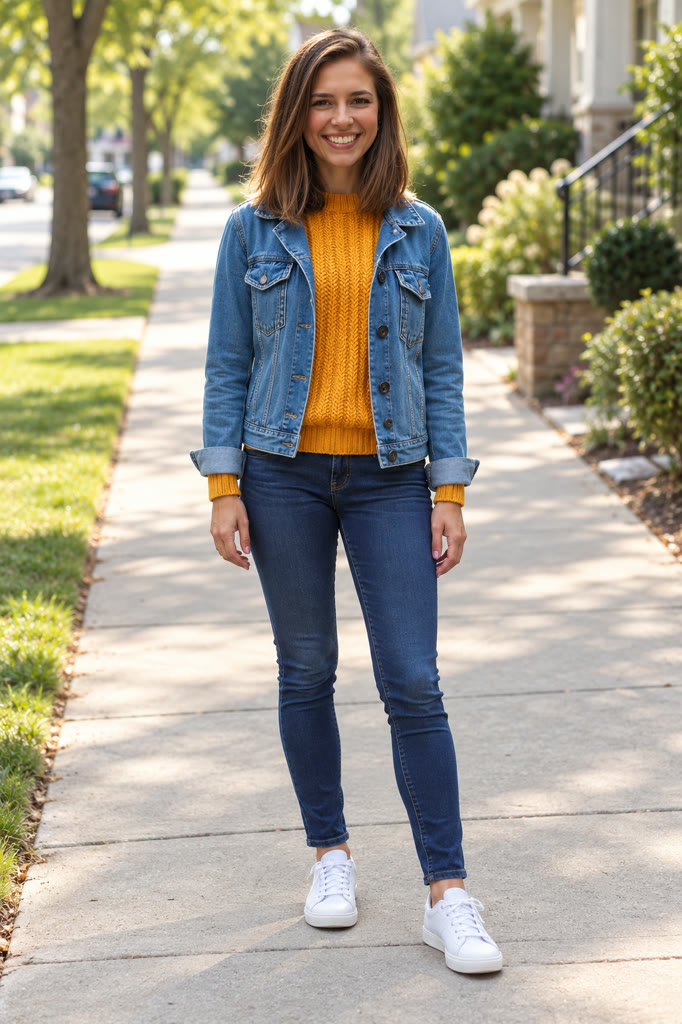
Choose one sharp, well-lit photo with your face visible, or with your whole pet in frame for Pet Broom Ride. Include your upper body or outfit if you can.
Choose High quality (720p) or Standard (480p), buy a pack of videos if needed, and start the prepared flying-broom scene.
Review the finished video in My Creations, download it, and add a caption or music in your preferred editor.
Scenes
Every clip was made with this generator at Standard 480p, from one AI-generated photo of a person (and one of a dog for Pet Broom Ride). Yours uses your own photo.
Sunny suburban red light: she hovers by the window, smiles at the camera and flies off on green.
Halloween night: a witch hat, a grin at the window, then off toward the full moon.
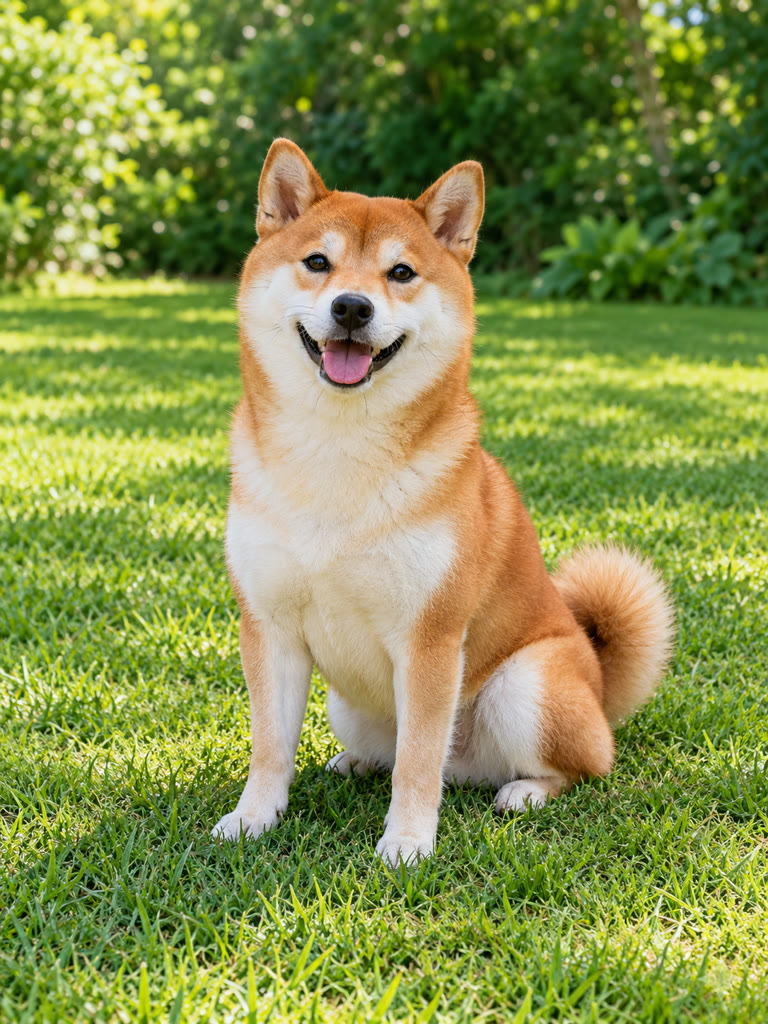
A Shiba Inu waits at the red light, grins at the camera and rides off on green.
A wave on the way past, then a wobble and a soft landing on the grass.
Before you generate
“My Ride Is Here” is a caption for flying-broom videos that bring an impossible ride into an ordinary day. In this car-window scene, a rider appears beside a moving car, looks toward the camera, then flies away.
BroomRidingAI uses your photo as the rider reference. Everyday clothes suit the commuting joke; a witch-inspired outfit gives it a Halloween feel. You can also put your dog or cat on the broom, or end a wobbly flight in a soft crash.
Pricing
Pick how many videos you want. Pay once, no subscription. Videos you have not made yet never expire, and a video that fails returns to your balance automatically.
480p, ready to post on TikTok, Reels and Shorts.
What you get
Each video is 10 seconds long, vertical 9:16, in High quality 720p or Standard 480p, with AI-generated sound.
Packs are sold per quality: a High quality pack makes 720p videos only. Packs are one-time purchases, and unused videos never expire.
Failed generations return your video allowance automatically. A result you simply do not like is not a failed generation, and buying a pack does not start a generation.
You can request a payment refund in Settings → Billing within 7 days; the value of videos already made from that purchase is deducted.
FAQ
Upload one clear photo, pick a scene and a quality, and start the prepared broom scene. Review the result in My Creations before downloading.
High quality 720p videos cost $9.90 for 1, $24.90 for 3 or $59.90 for 8. Standard 480p videos cost $6.60 for 1, $16.60 for 3 or $36.60 for 8. Packs are one-time purchases and unused videos never expire.
You can generate the broom-riding video here. After downloading, use CapCut or another editor to add captions, music, or other edits.
Use a sharp, well-lit photo of one person. Keep the face visible and avoid sunglasses or heavy filters. A waist-up or full-body photo shows more of your clothing and posture. For Pet Broom Ride, use a clear photo of one pet with the whole animal visible.
The prepared scene provides the broom. Ordinary clothes suit the commuting joke; a witch-inspired outfit works for a Halloween post.
Failed generations return your video allowance automatically, so you can try again. This returns a video, not a payment. For a payment refund, open Settings → Billing within 7 days of purchase; videos already made are deducted.
Every video is 10 seconds, vertical 9:16, with AI-generated sound such as wind and road noise. Pick High quality (720p) for a sharper picture, or Standard (480p).
Usually 2 to 10 minutes. You can leave the page while it renders; the finished video is saved in My Creations.
Yes. Pick Pet Broom Ride and upload a clear, well-lit photo of one dog or cat with the whole animal visible. The other scenes are made for photos of people.
Only with their permission. Use photos of yourself or of adults who agreed to appear; you confirm this before generating.
No. Videos you have paid for but not made yet never expire. Packs are one-time purchases, with no subscription.
The model uses your photo as a reference, and likeness can vary as the rider turns or moves away. Review the finished video before sharing.
Upload your photo, pick one of four broom scenes and make your own video.
Create My Broom Video